
Your videos deserve
another look.
Rediscover the videos in your Photos library in a private feed you can swipe through. Peekroll finds highlights to help you revisit even your longest recordings.

A fresh look at your videos
Your videos, in a feed made for you
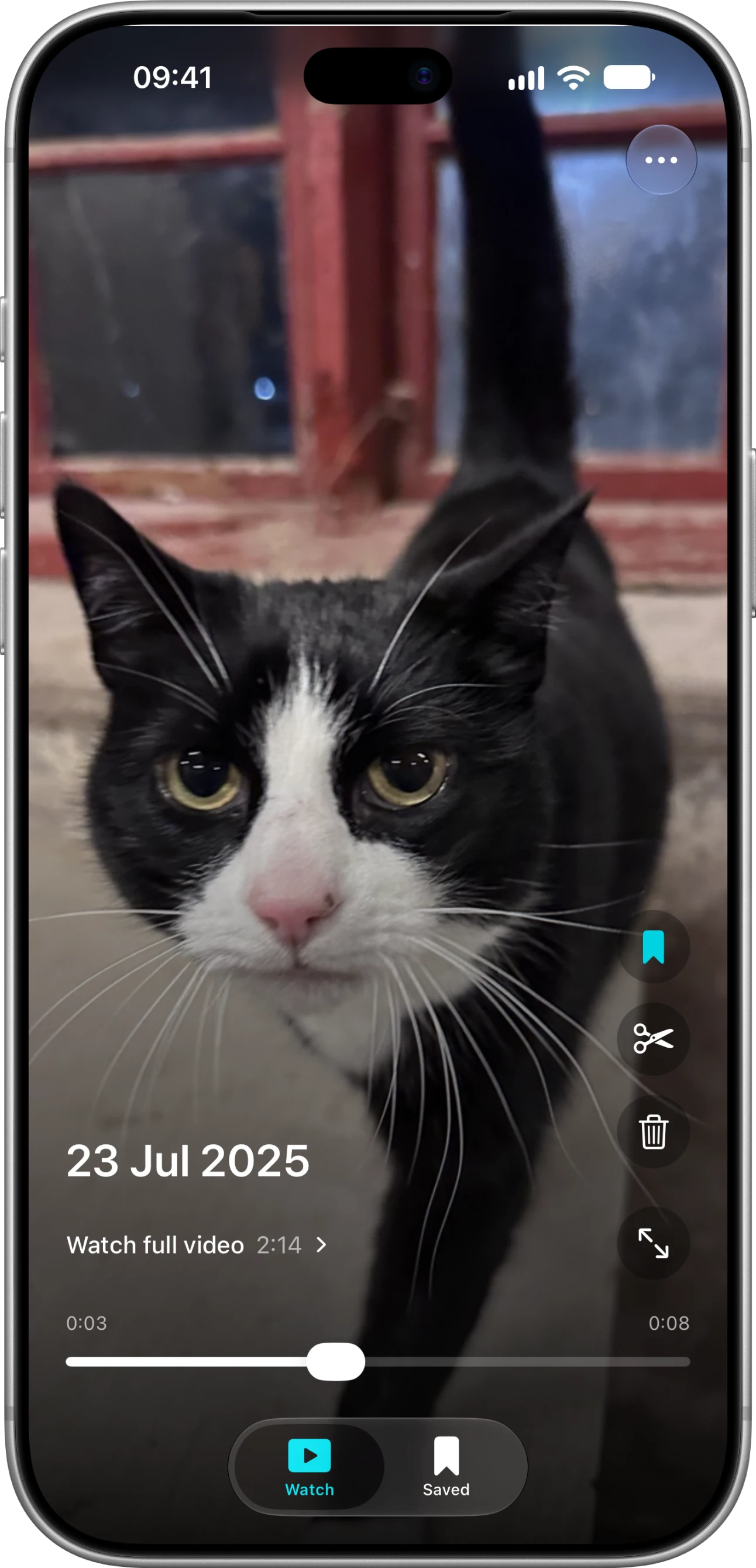
Swipe through videos from your Photos library and rediscover moments you may have forgotten, all in a private feed.
Get to the good parts faster
Peekroll finds highlights in your videos, so you can quickly revisit even long recordings. Watch again to discover other moments.
Watch the whole story
Want to see more? Open the full video from the moment you’re watching, or jump to another highlight on the timeline.
Save your favorite moments
Keep moments handy for another day, and bring them together in collections.
Good to know
How does Peekroll find highlights?
Peekroll analyzes visual and sound cues on your device to find moments that stand out. If it doesn’t find a clear highlight, it shows a preview instead. Videos of 15 seconds or less play in full.
Which videos does Peekroll show?
Peekroll shows videos from your Photos library. You can give it access to your whole library or choose specific items.
Where are my videos analyzed?
Analysis happens on your device. Peekroll asks before downloading videos that are stored only in iCloud.
Does saving a moment change my video?
No. Saving a moment remembers its place in Peekroll. If you trim a video, you can save a new copy or confirm an edit to the original in Photos.
Rediscover what you’ve filmed.
Your videos are waiting. See where they take you.